
Tradition of Grace, Modernity of Beauty.
A collection of eye-comfort themes, thoughtfully crafted with inspiration from Seoul's traditional colors.
Bring a touch of cozy warmth to your workspace with our unique, gentle, and organic color palettes.
Themes
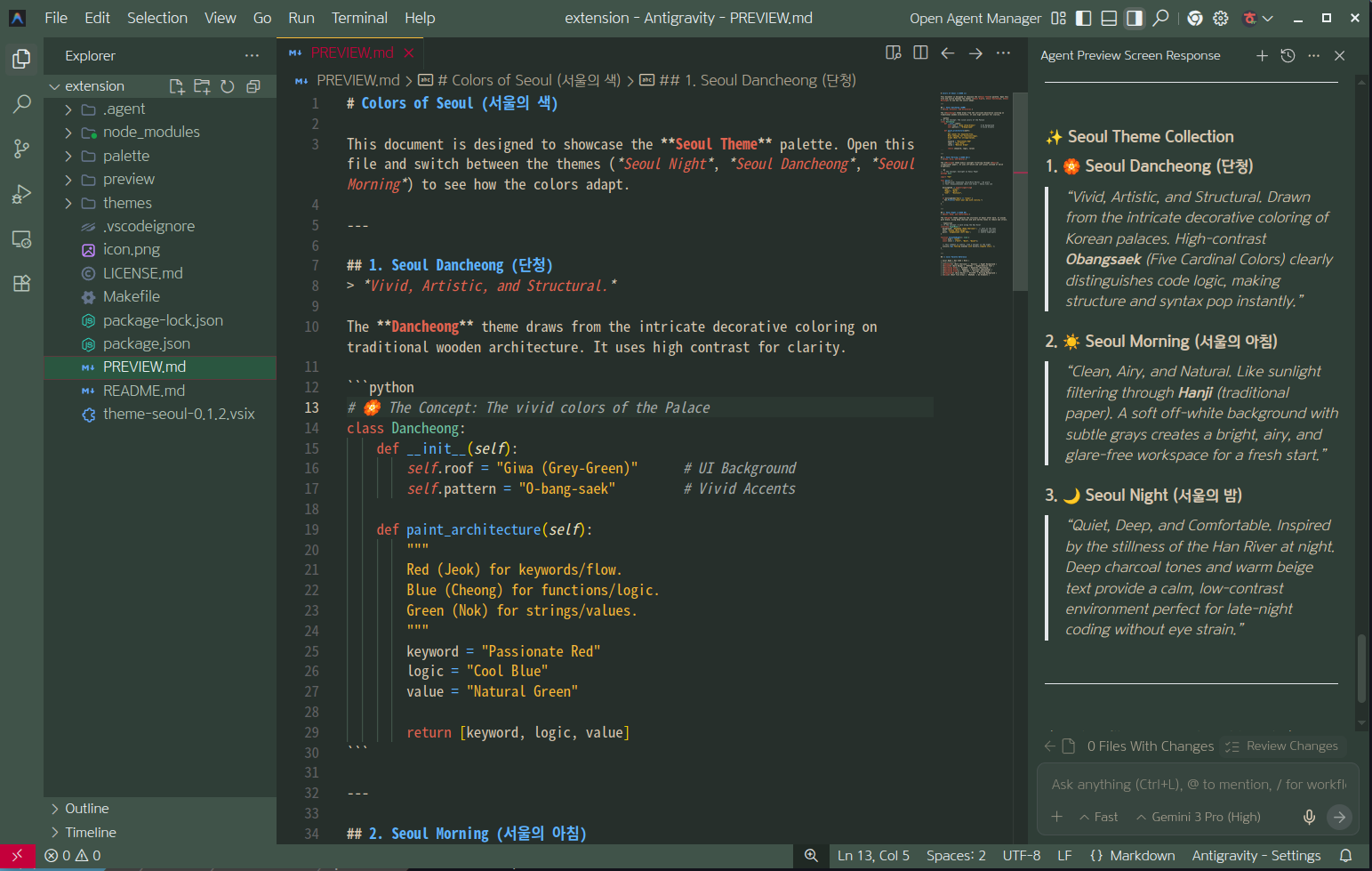
Seoul Dancheong (서울 단청)
Draws from the intricate decorative coloring on traditional wooden architecture. High contrast for clarity.
"Vivid, Artistic, and Structural."
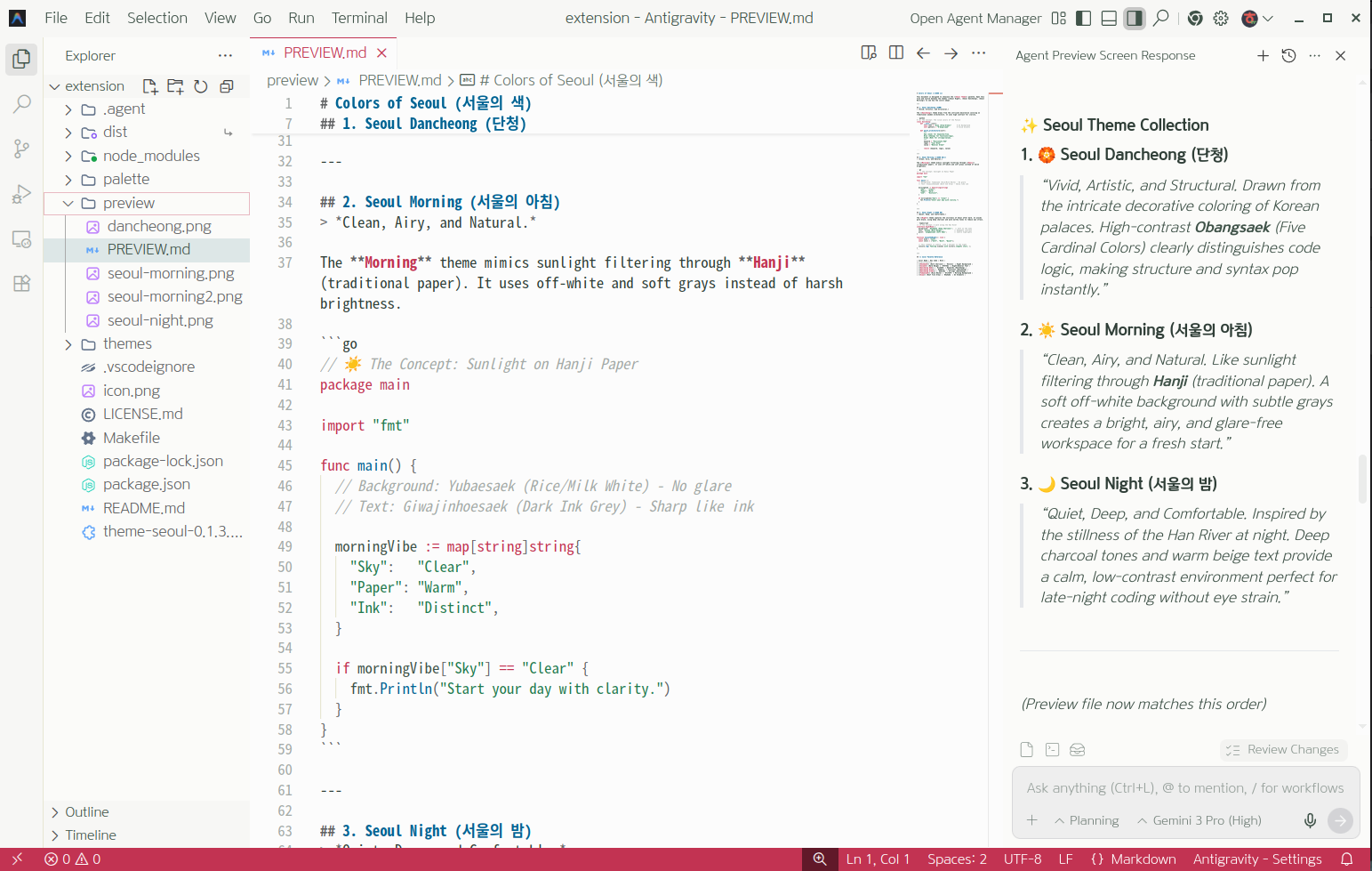
Seoul Morning (서울의 아침)
Mimics sunlight filtering through Hanji (traditional paper). Uses off-white and soft grays.
"Clean, Airy, and Natural."
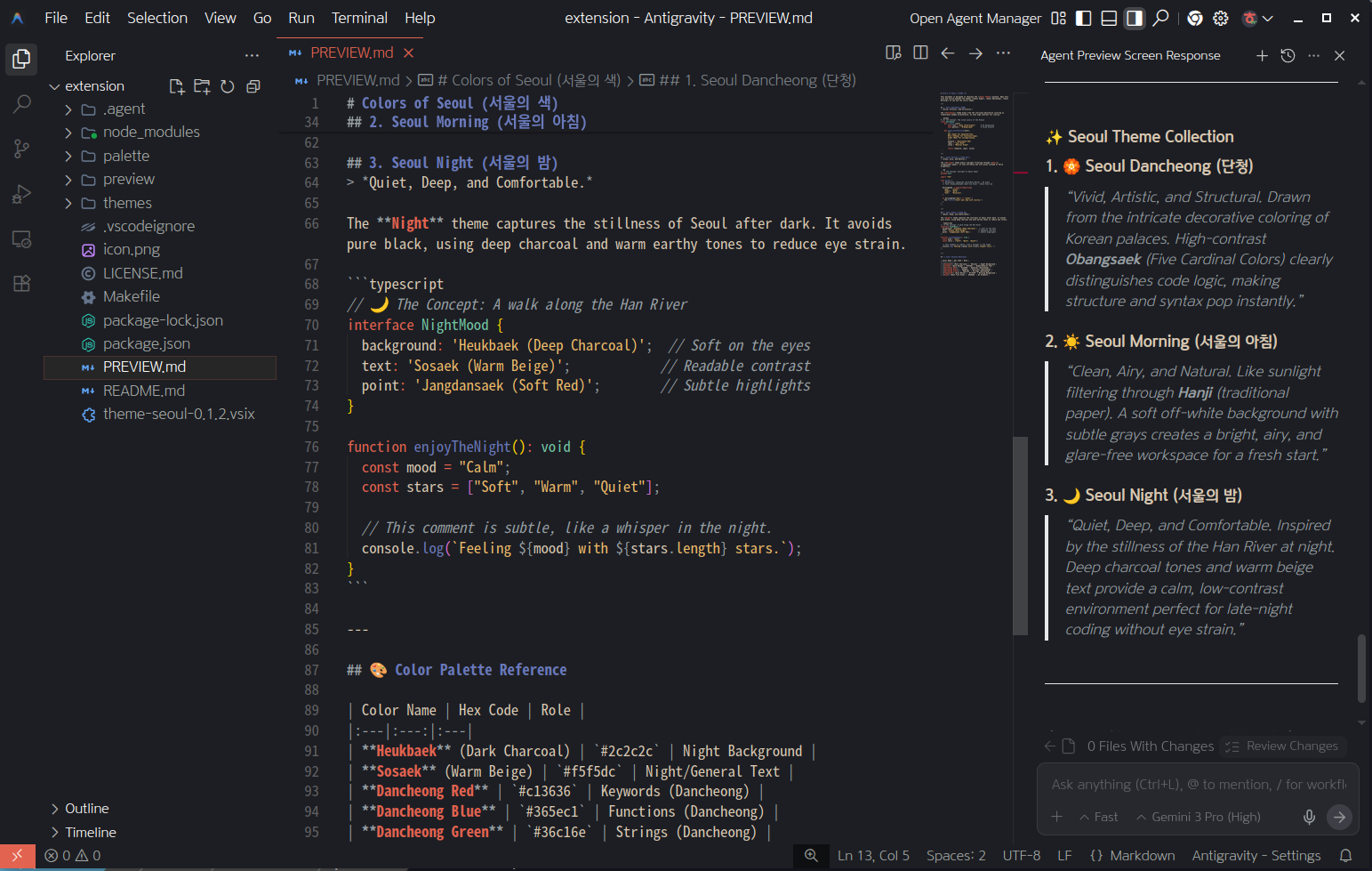
Seoul Night (서울의 밤)
Captures the stillness of Seoul after dark. Deep charcoal and warm earthy tones.
"Quiet, Deep, and Comfortable."
Installation & Usage
Open Extensions in your IDE, search for 'Seoul Theme', verify the publisher 'lovema-kr', and install it. The extension is available from both Visual Studio Marketplace and Open VSX Registry.
Open Extensions, search for 'Seoul Theme', and select Install.
Open Extensions, search for 'Seoul Theme', and select Install.
Open Extensions, search Open VSX for 'Seoul Theme', and select Install.
Run 'Preferences: Color Theme' from the Command Palette, then select Seoul Dancheong, Seoul Morning, or Seoul Night.